Laboratory Safety Grading - Classification System Usage Guide
Version: V1.0
Function Introduction
By classifying laboratories into safety levels (I-IV) based on laboratory hazards, dynamic management of laboratory hazards can be achieved and the laboratory safety management and control capabilities can be improved.
Operation Guide
Grading and classificationPre-settings
Hazard source settings
Enter the "Safety" - "Hazard Source Settings" module. On the left side of the page are the hazard source classifications (currently divided into 5 default categories: chemical, biological, radiation, electromechanical, and other), and on the right side are the management of specific hazard sources under each category.
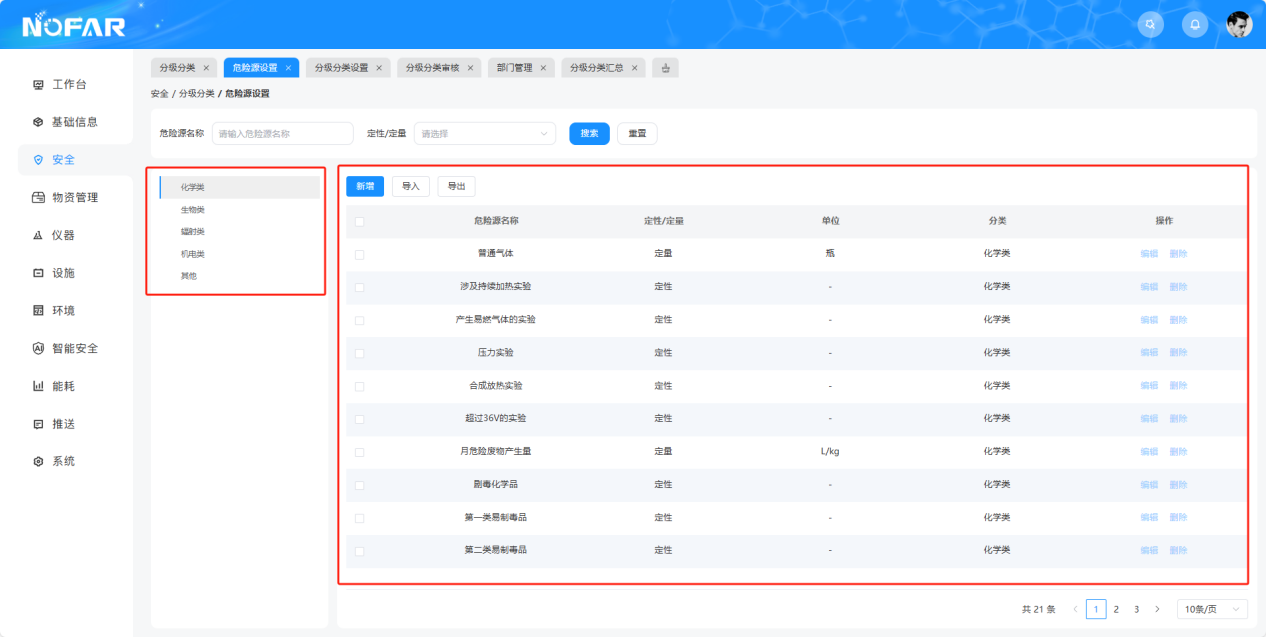
Figure: Hazard Source Management
You can choose to add a hazard source under the corresponding category, and click "Edit" or "Delete" in the operation bar to edit or delete the hazard source. (Note: built-in hazard sources do not support editing or deletion).
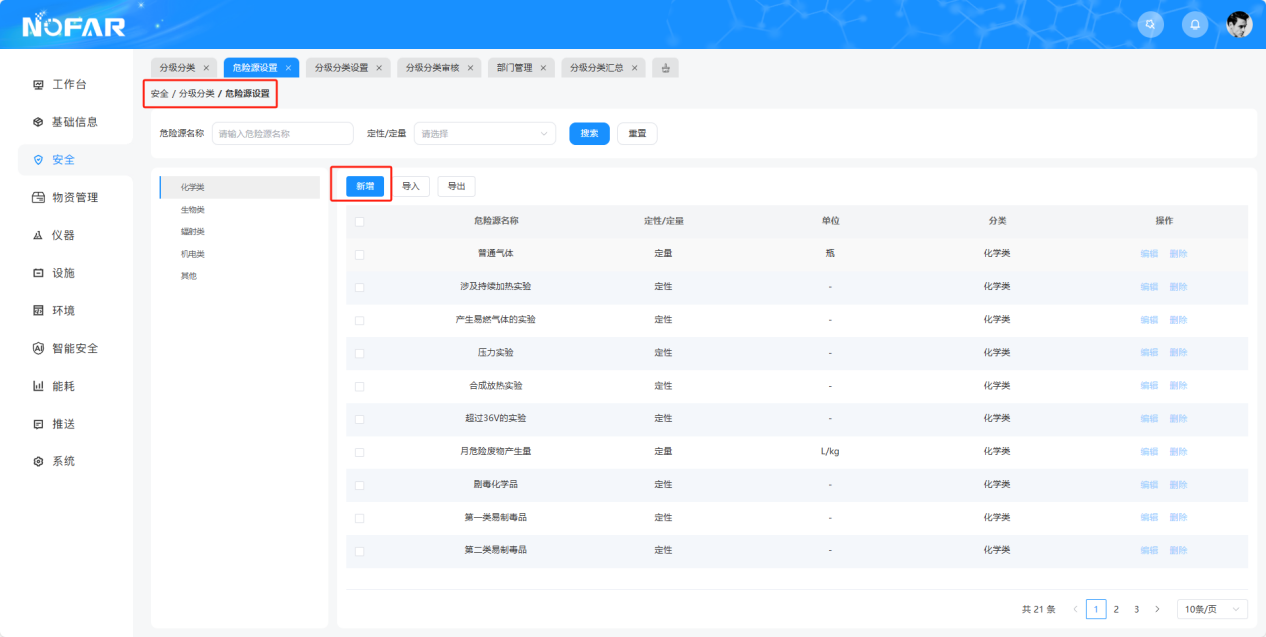
Figure: Hazard source setting entrance
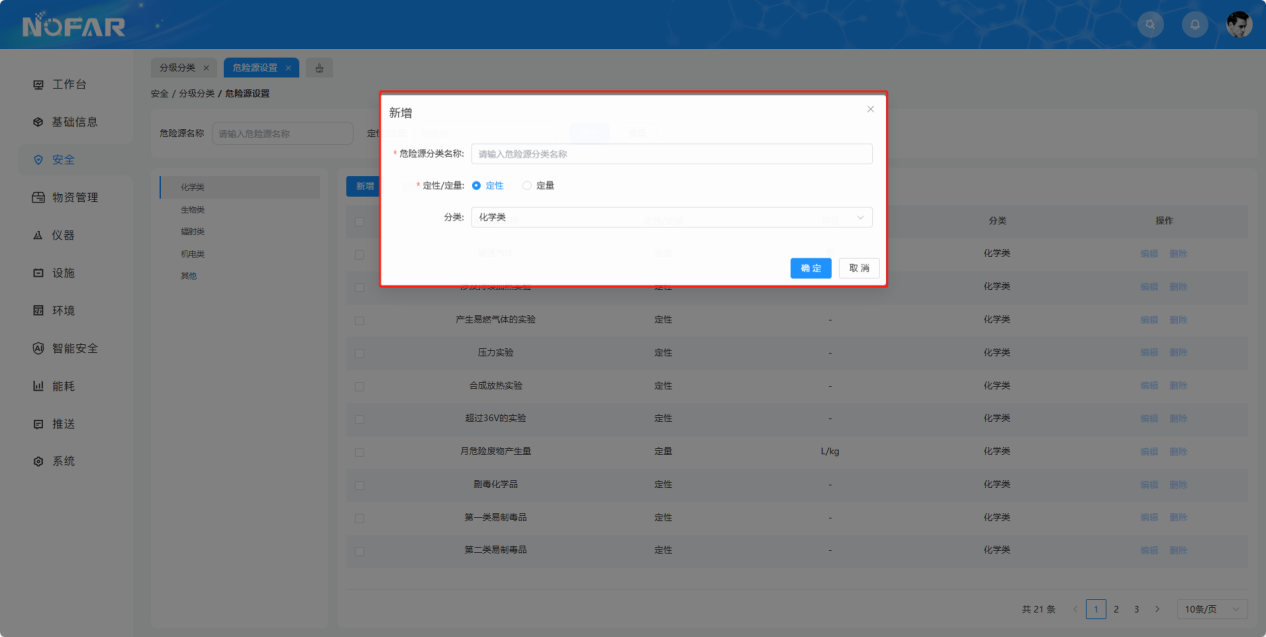
Figure: New sources of danger
Supports importing hazard source information in file mode. Click the "Import" button in the upper left corner to download the hazard source classification template, fill in the hazard source information according to the template, and upload the file. You can also click the "Export" button to export all hazard source information under the current classification.
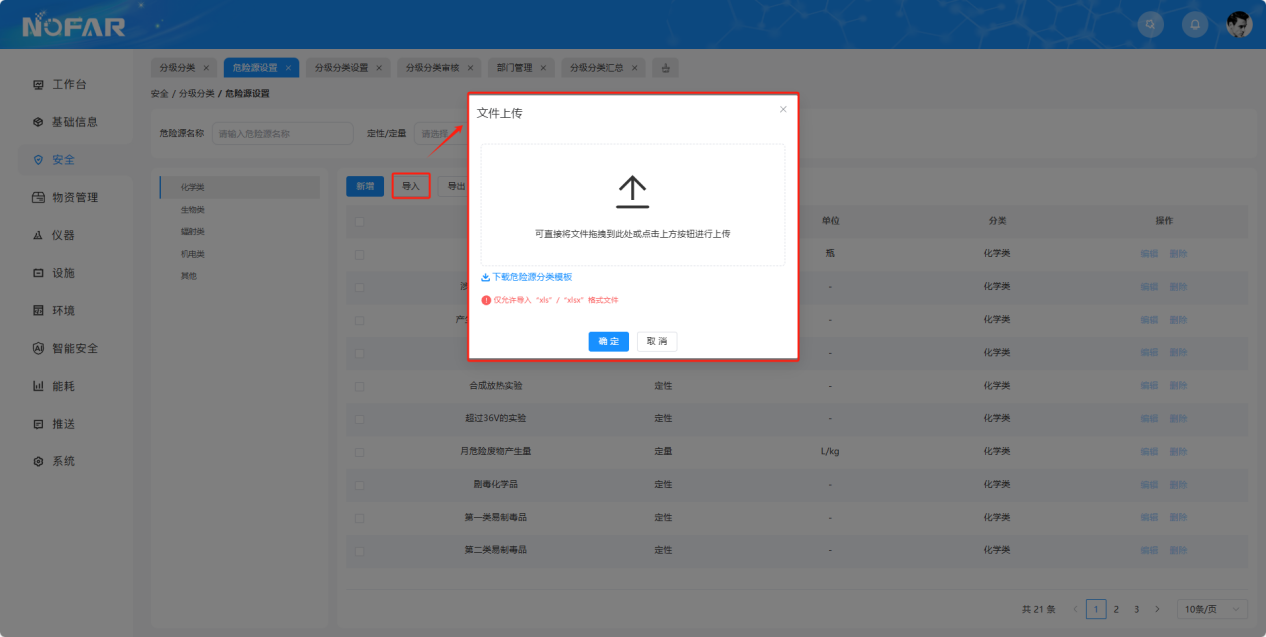
Figure: Importing hazardous sources
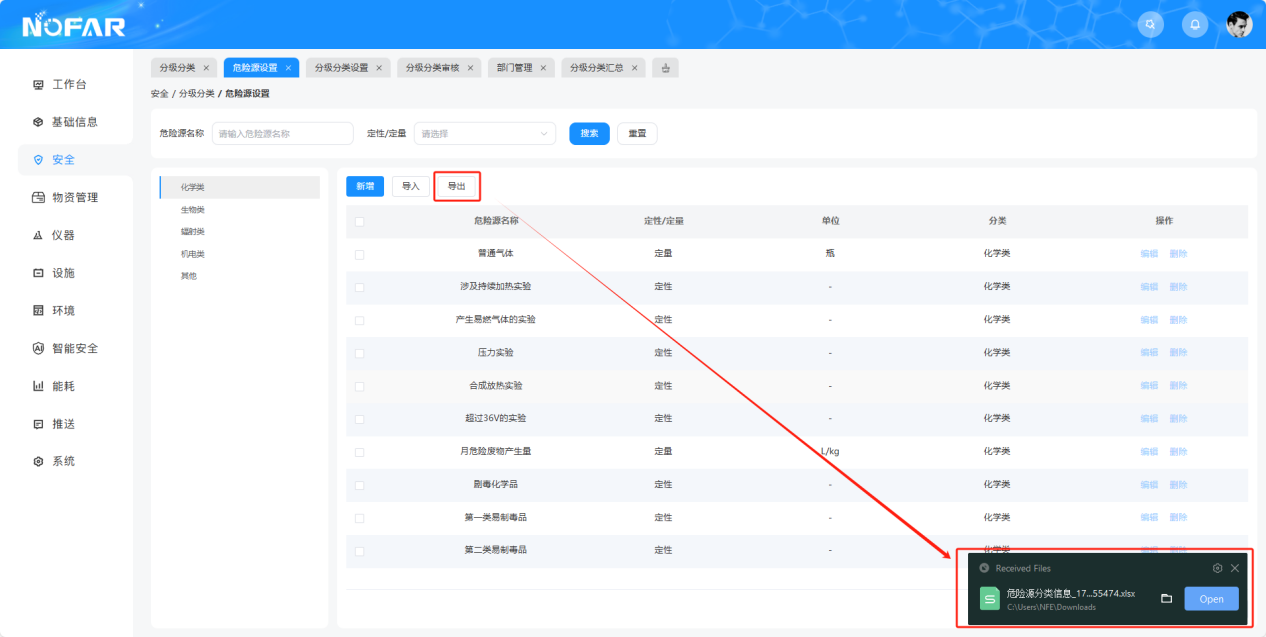
Figure: Exporting Hazard Sources
The relevant parameters are described as follows:
parameter | illustrate |
Hazard Classification Name | Required, fill in the name of the hazard source |
Qualitative/Quantitative | There are two options: qualitative and quantitative. If you choose quantitative, you need to further fill in the quantitative "unit of measurement", such as: KG, L, etc. |
Classification | Select the category to which the hazard source belongs, includingChemical, biological, radiation, electromechanical, and other 5 categories |
Classification settings
The classification includes the laboratory safety level table and the laboratory safety risk assessment table. The laboratory safety level includes four levels: Level I laboratory, Level II laboratory, Level III laboratory, and Level IV laboratory. The laboratory safety risk assessment table includes three risk scores: 25 points, 10 points, and 5 points.
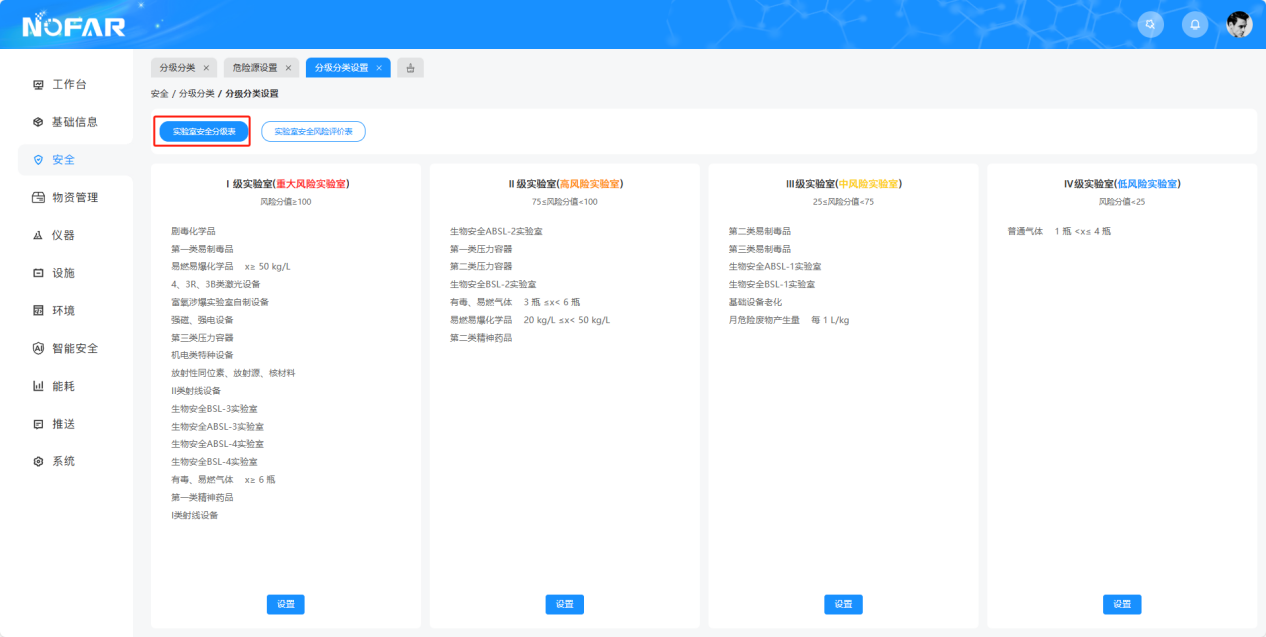
Figure: Laboratory Safety Classification Table
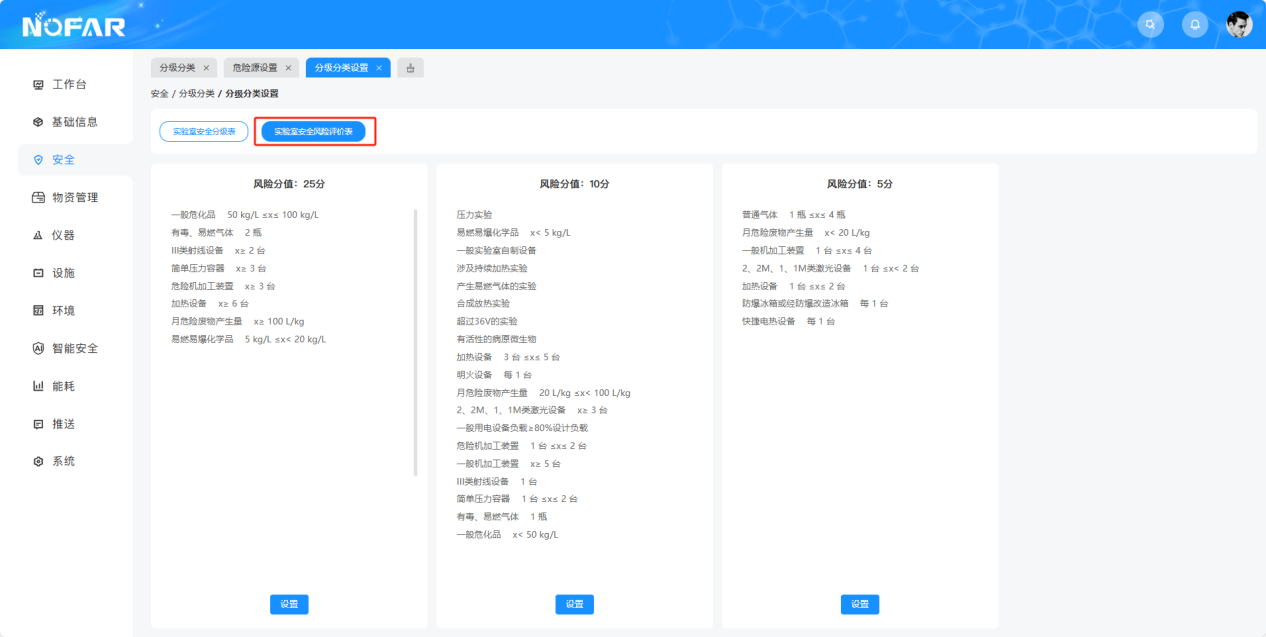
Figure: Laboratory Safety Risk Assessment Form
Click the "Settings" button under the graded laboratory to set the relevant hazard sources for the graded laboratory. The hazard sources that can be selected are from the "Hazard Source Settings" module. Among them, the hazard sources that have been built into the laboratory cannot be deleted.
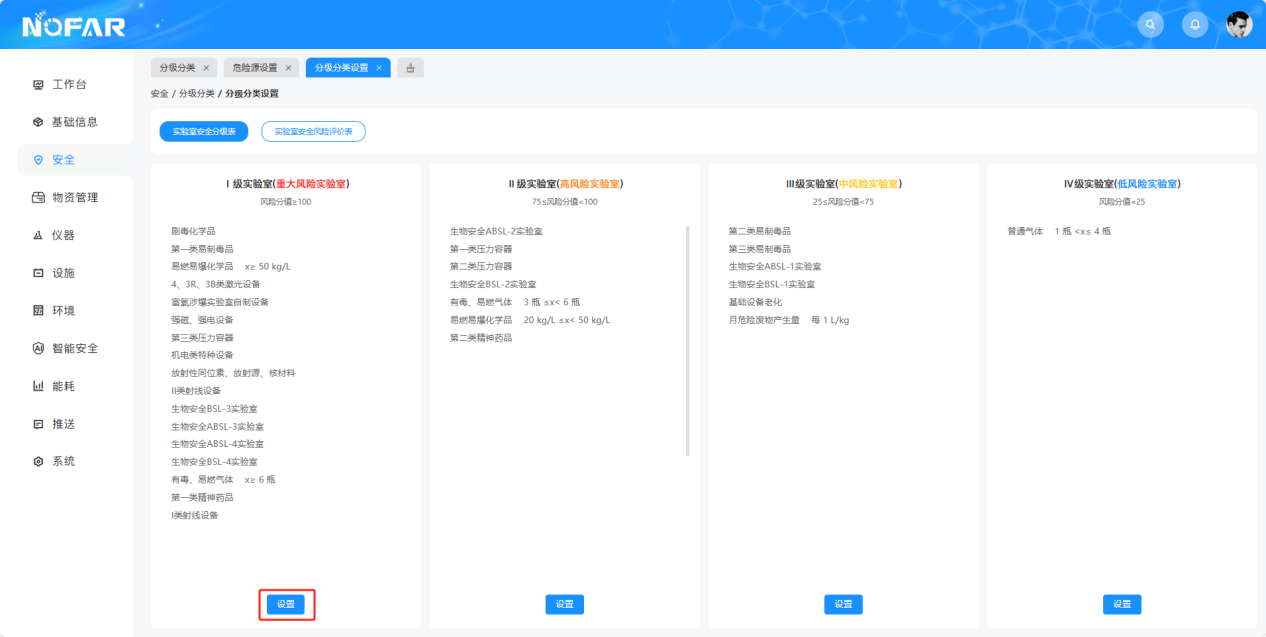
Figure: Entrance to laboratory hazardous source settings
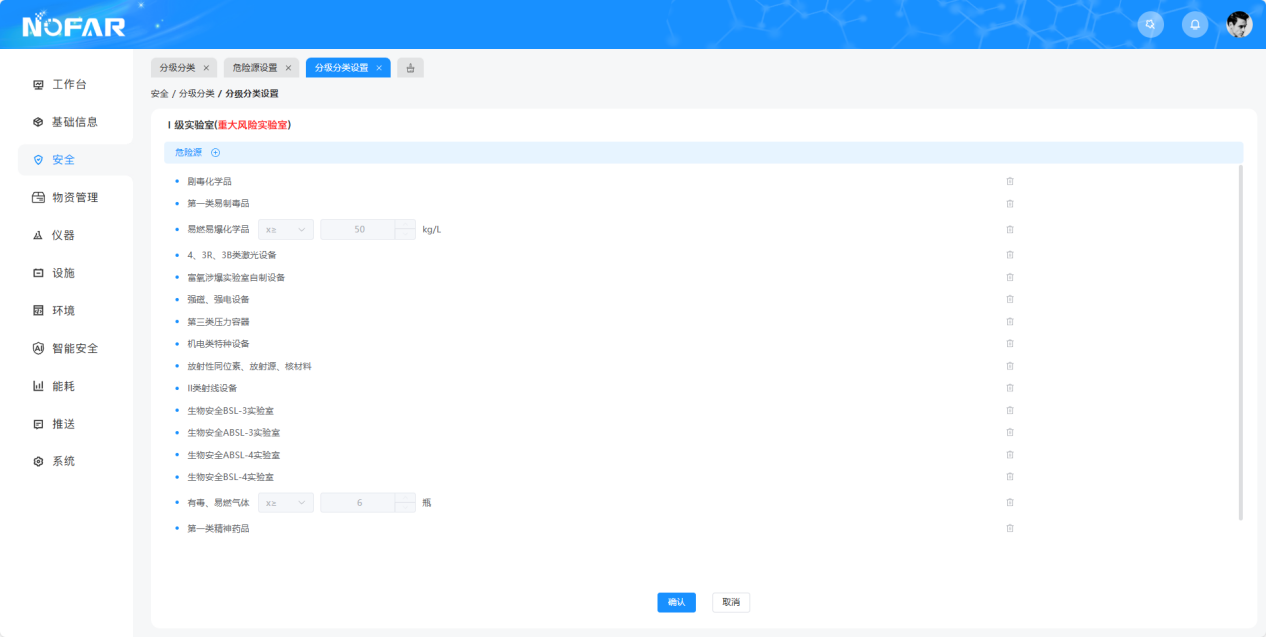
Figure: Laboratory Hazard Settings
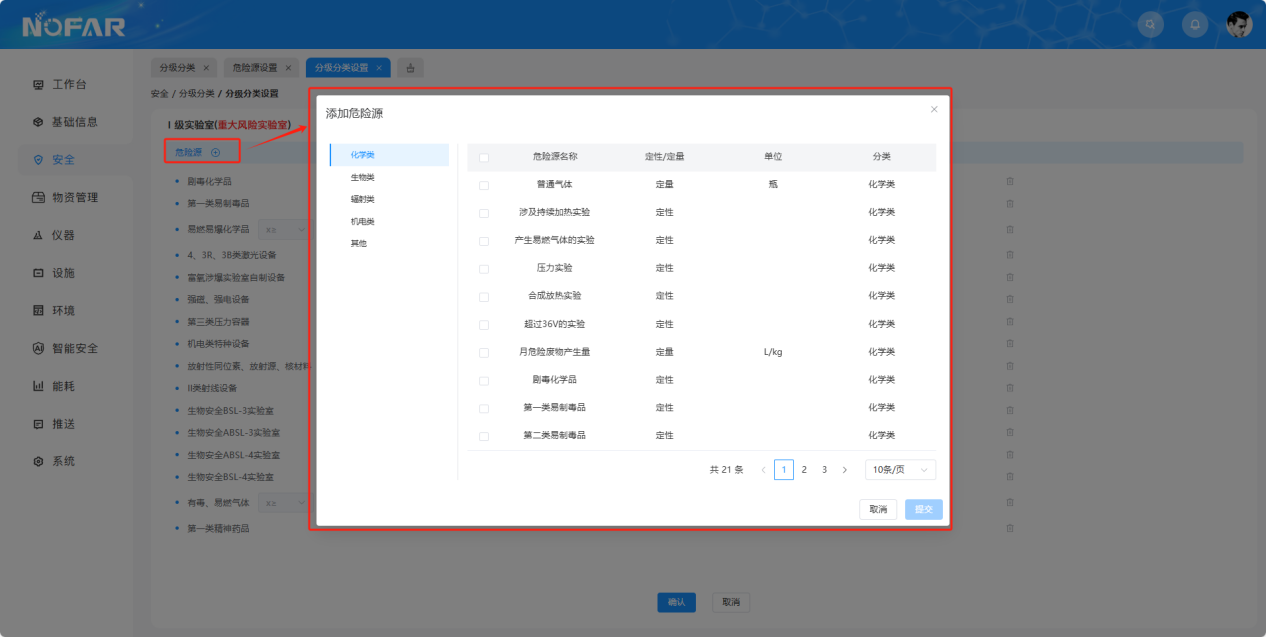
Figure: Selecting the source of danger
Click the "Set" button under the laboratory safety risk assessment table to set the relevant hazardous sources under the risk score. The selectable hazardous sources are from the "Hazard Source Settings" module. Among them, the built-in hazardous sources under the risk score cannot be deleted.
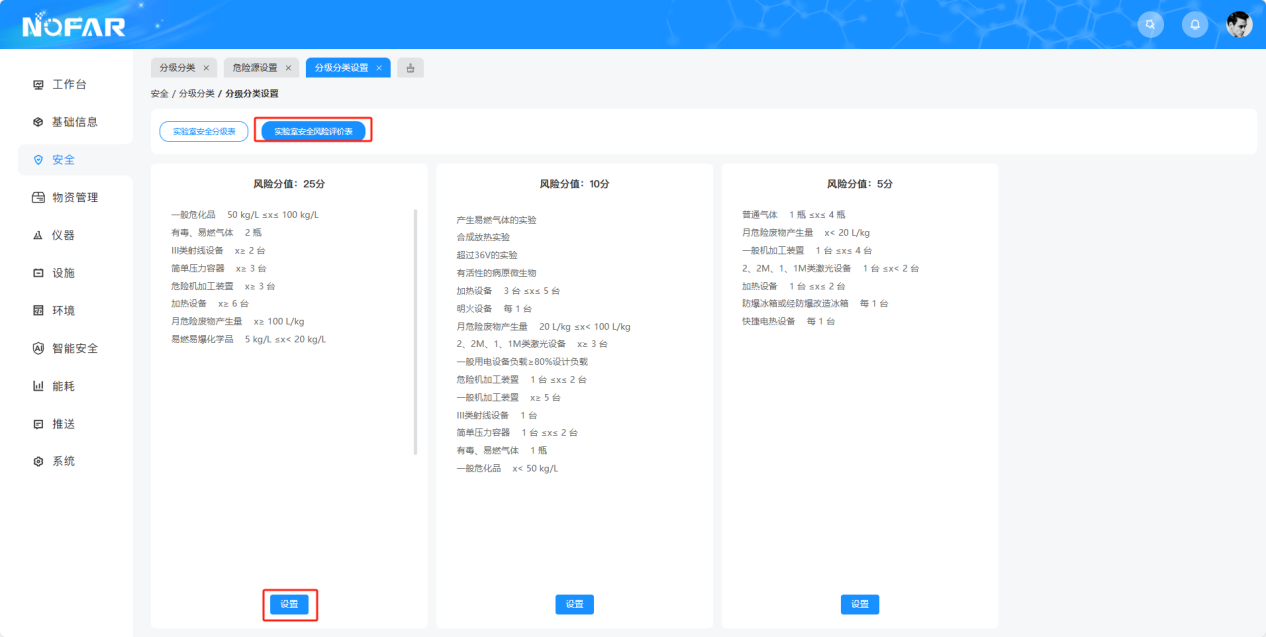
Figure: Entrance for setting up hazard sources for risk assessment
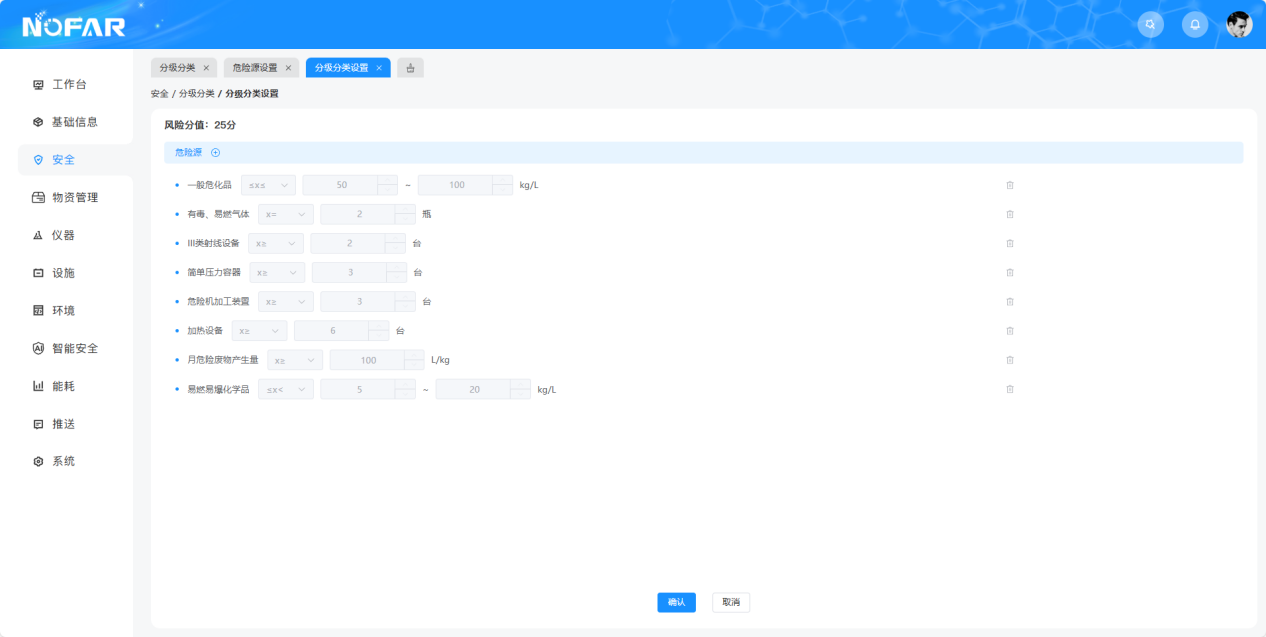
Figure: Hazard source settings for risk assessment
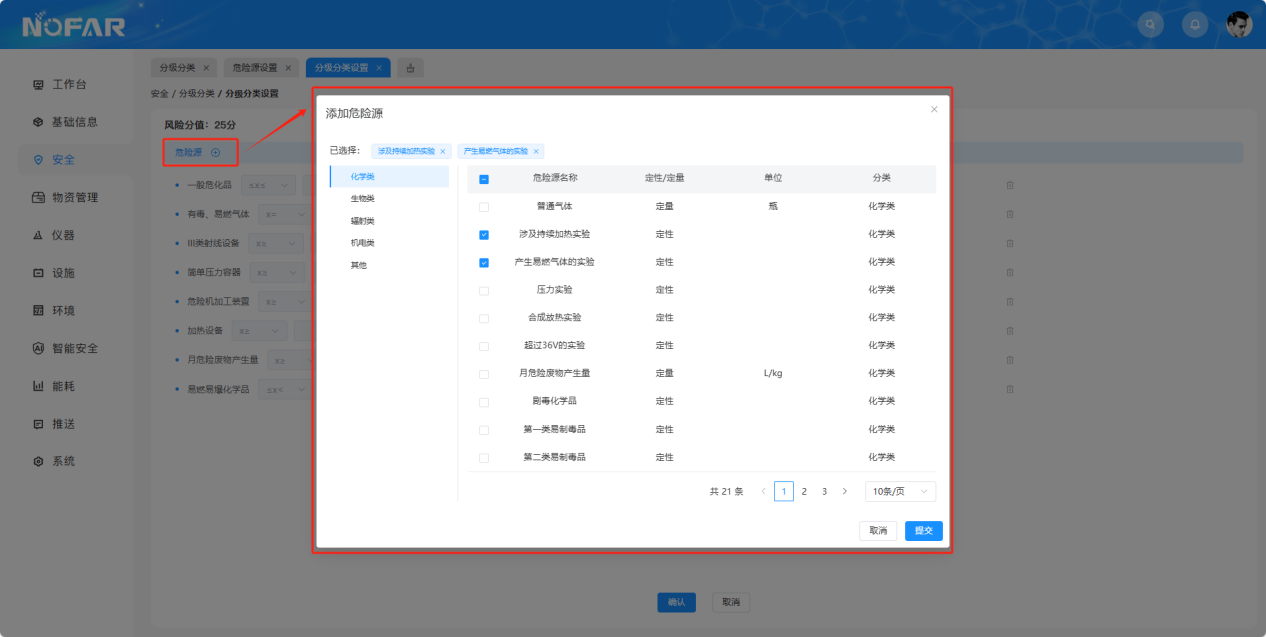
Figure: Selecting the source of danger
Grading and classification
The grading and classification process is as follows:
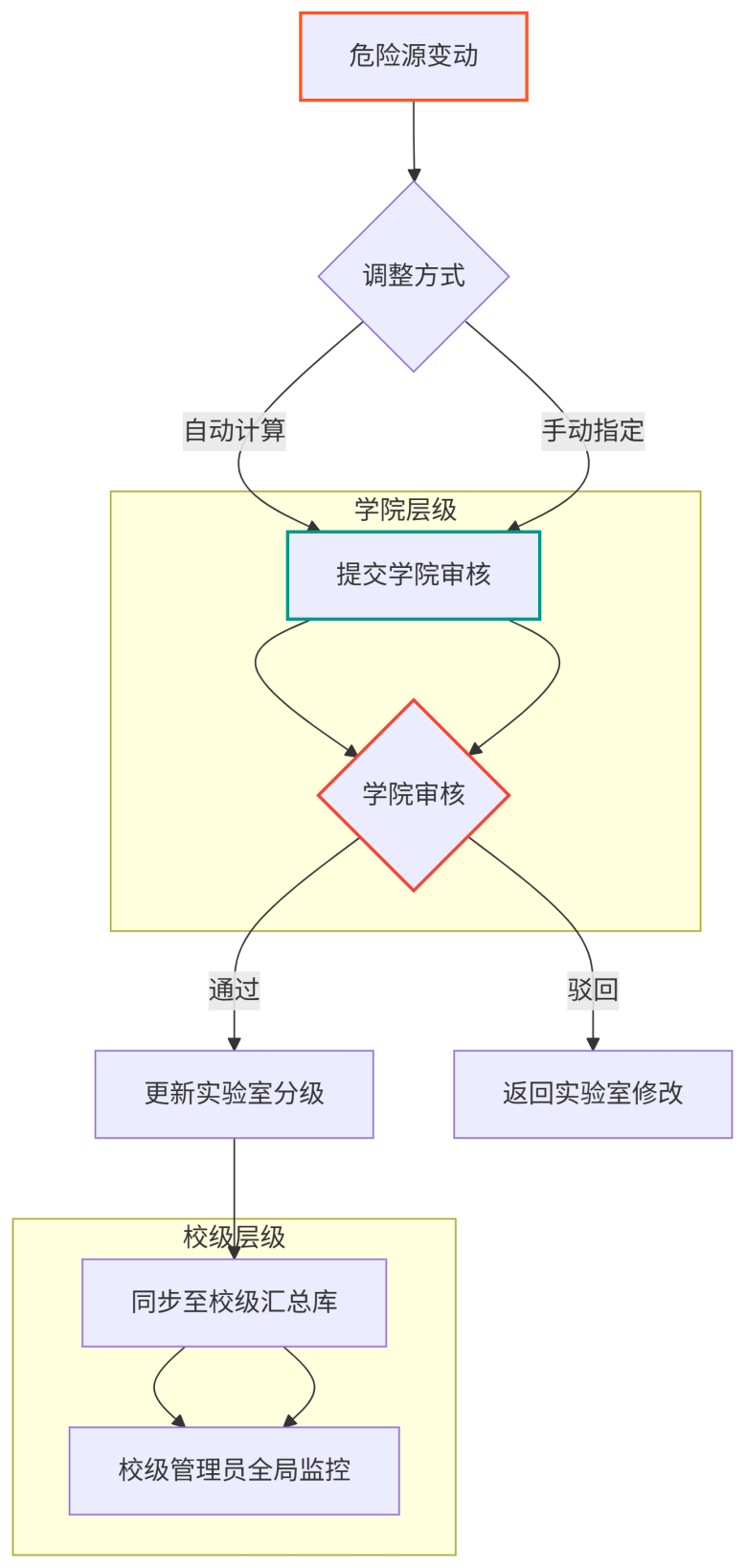
Enter the "Security" - "Grading and Classification" module to view the grading and classification information of the laboratory that the current user is responsible for (for example, the user must be the person in charge or the person in charge of safety in the laboratory to see the grading and classification information of the laboratory). The laboratory grading and classification information can be exported.
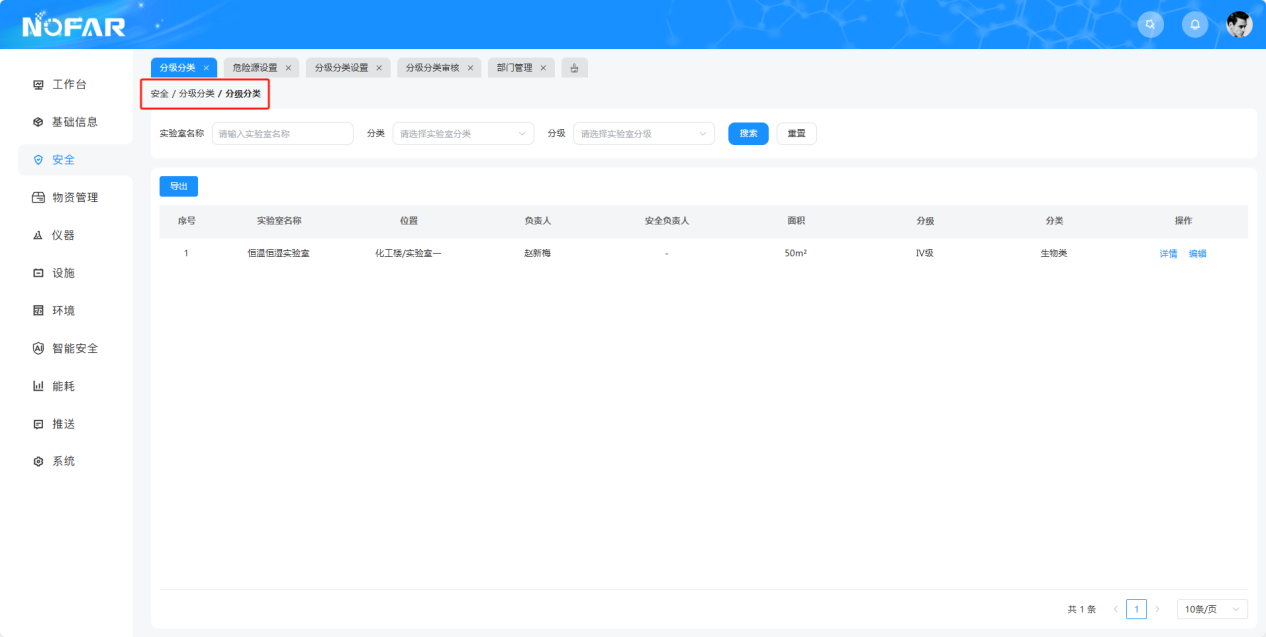
Figure: Laboratory classification
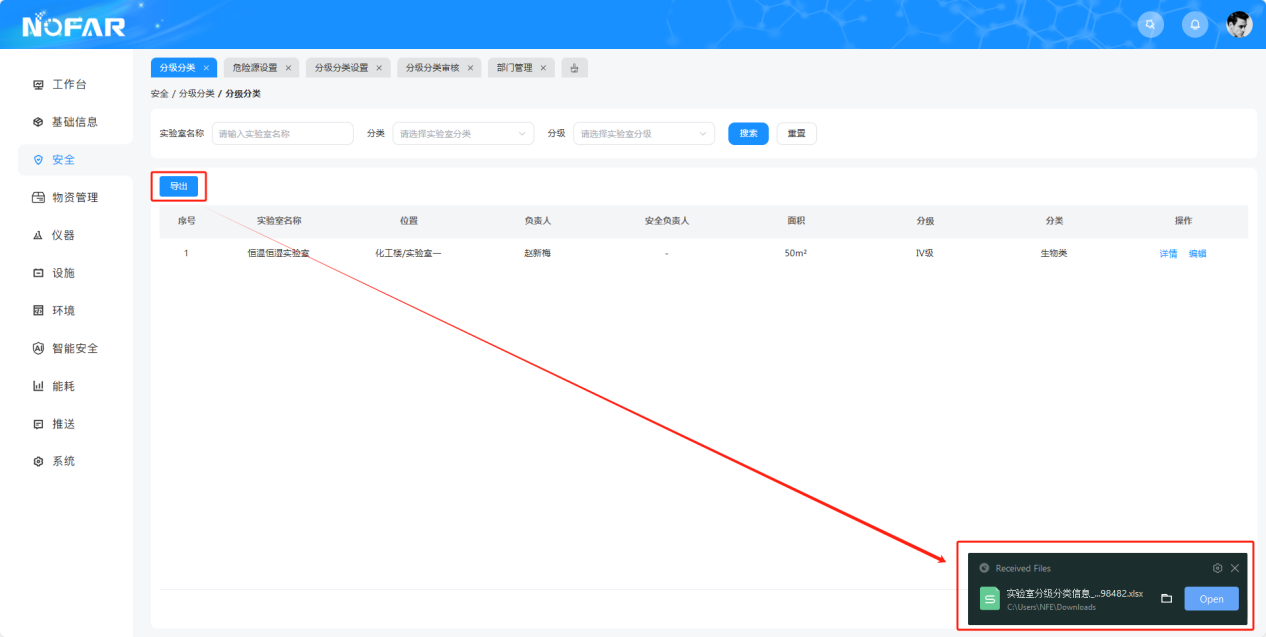
Figure: Export
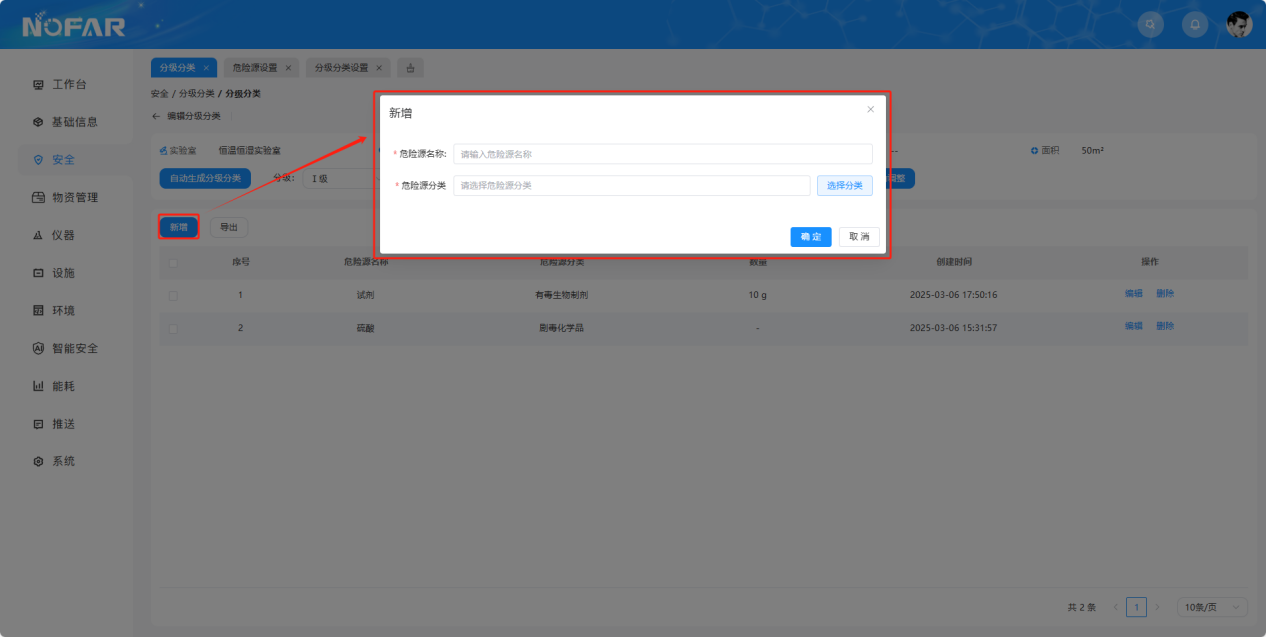
Click the "Edit" button in the operation bar to modify the laboratory's hazardous source information. Click the "Add" button to add a hazardous source.
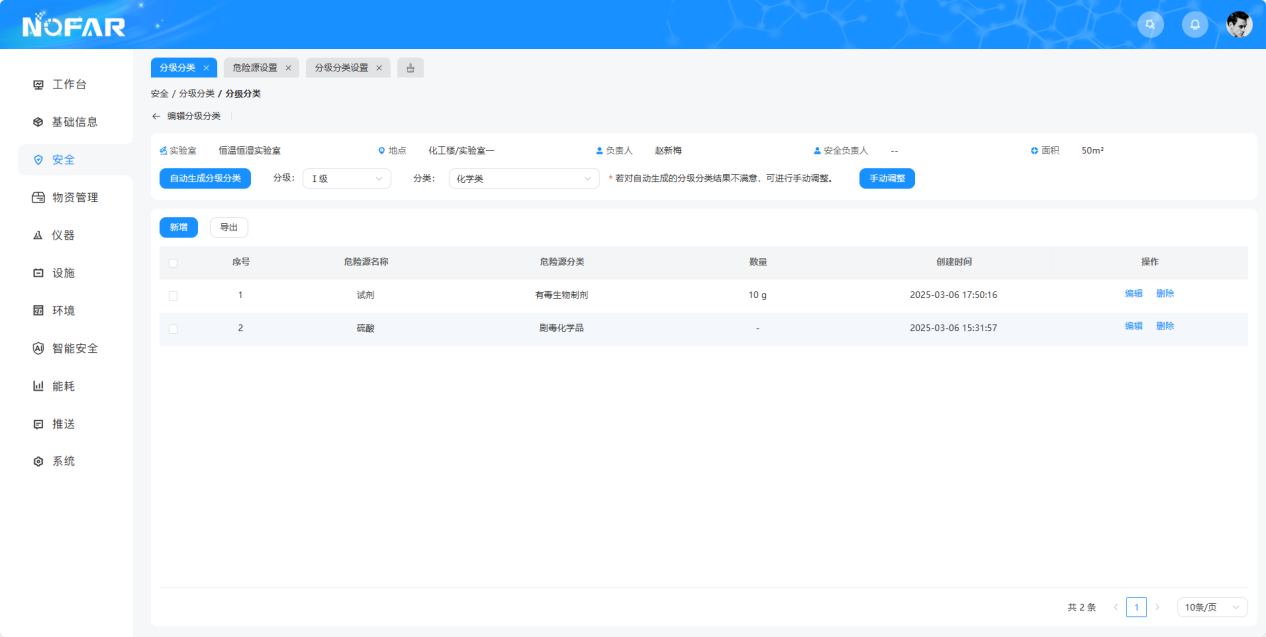
Figure: Editing laboratory classification

ISO Quality Management System Certification

Certified Software Enterprise

AAA Credit-Rated Enterprise

Member of the Laboratory Management Branch of the China Association of Higher Education

Member of Jiangsu Association for Artificial Intelligence

Council Member of Jiangsu Renewable Energy Industry Association

Nofar Information Technology Co., Ltd.


Facebook Instagram LinkedIn
Intelligentization of university laboratories
Intelligentization of inspection & testing laboratories
Intelligentization of biomedical laboratories
Intelligentization of petrochemical laboratories
Intelligentization of hospital & disease control laboratories
Intelligentization of scientific research institution laboratories
Intelligentization of new energy laboratories